# Instant Links
What if you could just tell your browser exactly what you wanted, and it understood you? Well, Arc _Instant Links_ provides a glimpse into the future of what browsing the web might look like.
## Folder of ...
Turn on the new _Instant Links_ feature with Arc > Settings > Arc Max > Instant Links, and let Arc browse for you.
- Press Shift + Enter after entering a web search into Command-T, which instantly opens the top result.
- You can also search multiple queries - try experimenting with your searches.
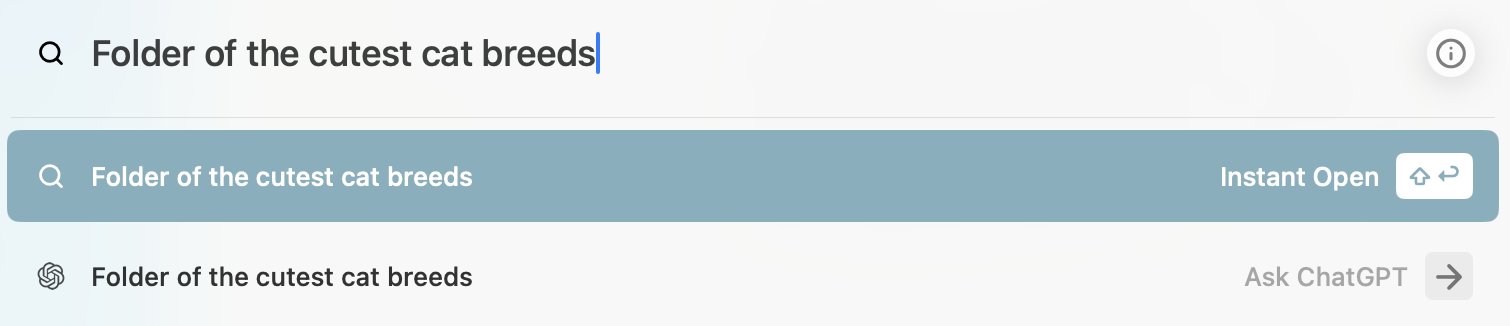
- To create a folder of tabs, use "_Folder of_" before your search query; for example, "Folder of the cutest cat breeds"
## Cutest Cat Breeds (Example)
Try this:
- Press CMD +
- Enter this search: _Folder of the cutest cat breeds_
- Press Shift + Enter
- Arc will search the web and immediately open the top results with the web page from the SprucePets site.
- But it also automatically creates a tab folder in your sidebar with the name "Cutest Cat Breeds" that will contain these 5 tabs.
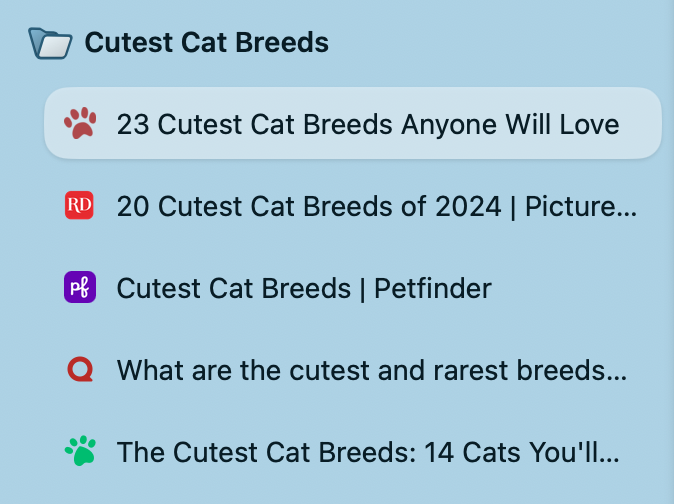
Instant Links Folder - Cutest Cat Breeds